
Download Kidlogger – Secure Parental Monitoring Software for Kids Online Safety
Kidlogger is a powerful parental monitoring tool designed to help parents keep their children safe online. This advanced keylogger software, developed by KidLogger.net, offers comprehensive insights into children’s digital activities across Windows, Mac, Android, and iOS devices. With features like real-time keylogging, screen capture, website tracking, app monitoring, location tracking, and email reporting, Kidlogger ensures that parents stay informed about what their kids are doing online.
Whether it’s preventing exposure to inappropriate content, detecting cyberbullying, or managing screen time, Kidlogger provides peace of mind through secure and discreet monitoring. The software is easy to install and use, making it a top choice for modern parents seeking reliable child safety tools. Download Kidlogger today to take full control of your child’s digital environment with confidence and care.
Comprehensive Monitoring Features for Peace of Mind
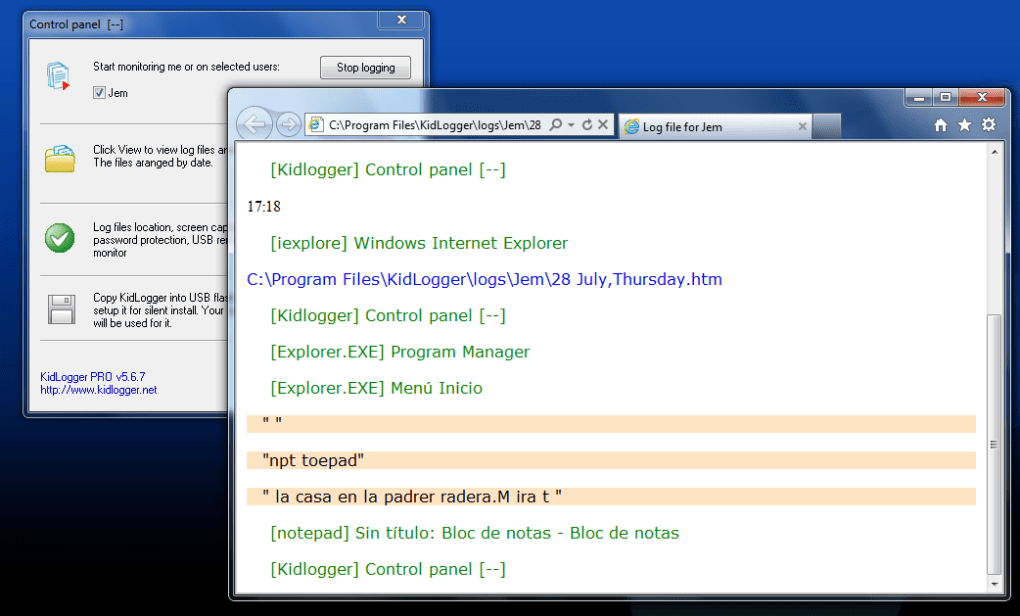
One of the standout aspects of Kidlogger is its robust suite of monitoring features that go far beyond basic parental control tools. At its core, Kidlogger functions as a discreet keylogger, capturing every keystroke typed on the monitored device. This allows parents to see exactly what their children are searching for, typing in messages, or entering into websites—providing deep insight into online behavior. Whether it’s a chat with a friend, a school assignment, or a search for questionable content, every input is logged and stored securely in the parent’s dashboard.
But Kidlogger doesn’t stop at keystrokes. It also offers real-time screen capture, automatically taking screenshots at set intervals to give parents visual proof of what their children are doing online. These screenshots can reveal hidden chats, inappropriate images, or risky interactions. The software tracks visited websites, records application usage, and even monitors private contacts and messages—ideal for detecting signs of cyberbullying or online predators. Additionally, location tracking enables parents to know their child’s physical whereabouts when using a mobile device, adding another layer of safety.
For those who prefer automated updates, Kidlogger sends email reports on a customizable schedule, delivering summaries of online activity directly to your inbox. This feature is especially useful for busy parents who want to stay informed without constantly logging into the dashboard. All data is encrypted and stored securely, ensuring privacy and compliance with data protection standards. With such a wide range of tools, Kidlogger stands out as a complete digital safety solution for families navigating the complexities of the modern internet.
Easy Installation & Seamless Usage Across Devices
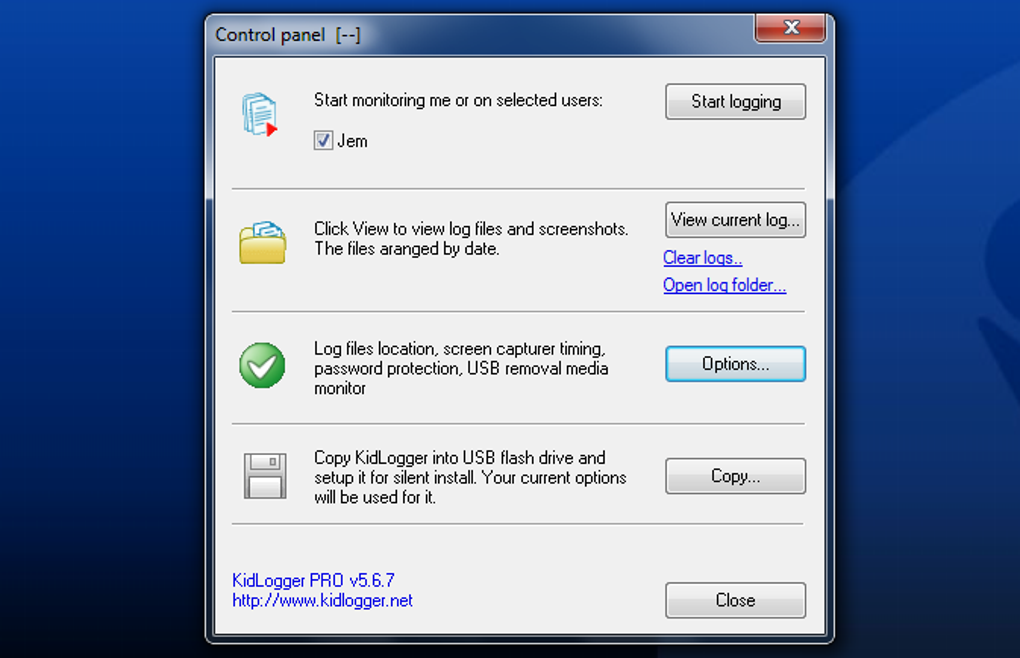
Getting started with Kidlogger is straightforward, even for parents with minimal technical experience. The first step is installing the “Parental Time Control” component on the target device—whether it’s a Windows PC, Mac, Android tablet, or iOS phone. This lightweight software runs quietly in the background, ensuring it doesn’t interfere with the child’s normal device usage. Once installed, the monitoring process begins automatically, and parents can access all data through a secure online dashboard.
Accessing the dashboard is simple: just log in with your credentials from any web browser or mobile app. The interface is clean, intuitive, and designed with usability in mind. Parents can filter data by date, time, or specific activity type—such as websites visited, apps used, or messages sent. The dashboard also includes visual charts and summaries, making it easy to spot trends or red flags. For example, if your child is spending excessive time on social media or visiting adult sites, the system highlights these patterns clearly.
Setting up automated reports is just a few clicks away. You can choose to receive daily, weekly, or monthly summaries via email, ensuring you’re always in the loop. The software supports silent operation, meaning the child won’t be aware of the monitoring, which is essential for maintaining honesty and trust in the home. Updates are pushed automatically, ensuring the software remains secure and up-to-date with the latest privacy and security enhancements. With minimal setup and maximum functionality, Kidlogger delivers a hassle-free monitoring experience.
Compatibility & Security: Trusted Across Platforms
Kidlogger is built to work seamlessly across multiple operating systems, making it a versatile choice for families with diverse devices. It is fully compatible with Windows 7 and later, macOS 10.14 and above, Android 5.0 and newer, and iOS 11 and later. This broad compatibility ensures that parents can monitor every device in the household—from laptops used for schoolwork to smartphones and tablets used for entertainment.
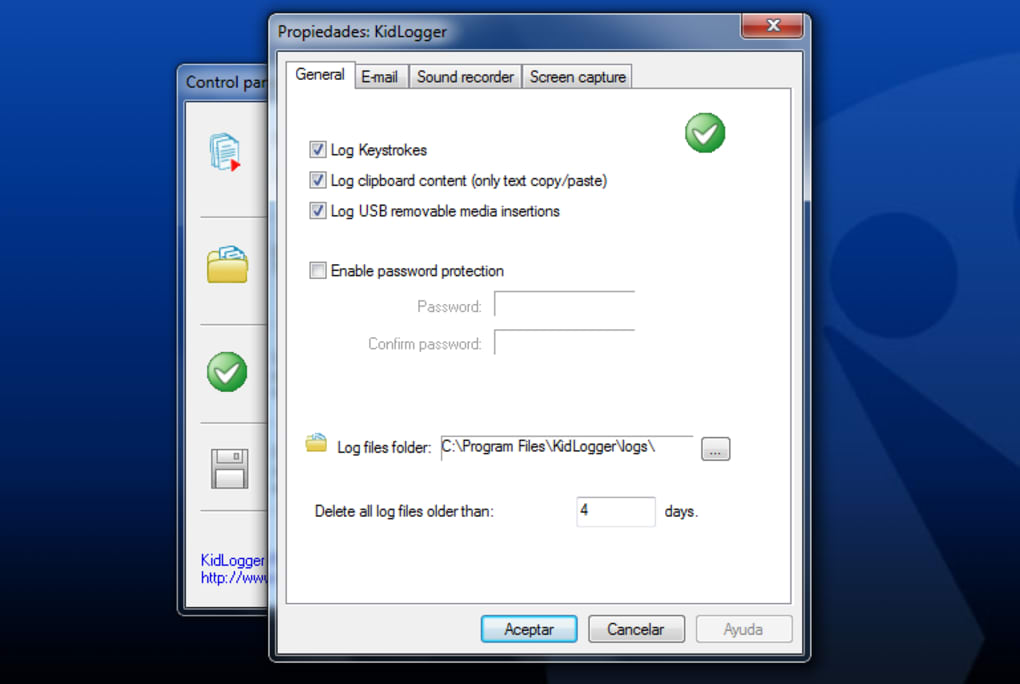
Security is a top priority for Kidlogger. All data collected—keystrokes, screenshots, location, and messages—is encrypted using advanced 256-bit SSL encryption before being transmitted to the secure cloud. This protects sensitive information from unauthorized access. The parent dashboard is protected by two-factor authentication (2FA), adding an extra layer of security to prevent account breaches. Additionally, the software is designed to run in stealth mode, minimizing its footprint and avoiding detection by the child.
Regular updates are released to patch vulnerabilities and improve performance, ensuring the software remains reliable and secure over time. The developers at KidLogger.net are committed to transparency and privacy, adhering to strict data handling policies. No personal data is sold or shared with third parties. Parents can rest assured that their child’s digital footprint is monitored ethically and responsibly, with the sole purpose of safeguarding their well-being.
Pros & Cons: A Balanced View of Kidlogger
- Pros:
- Real-time keylogging and screen capture for complete visibility
- Supports Windows, Mac, Android, and iOS devices
- Encrypted data storage and secure cloud transmission
- Automated email reports with customizable schedules
- Stealth mode operation—undetectable by children
- Intuitive dashboard with visual analytics and filtering tools
- Location tracking for mobile devices
- Regular automatic updates for enhanced security
- Cons:
- Requires physical access to install on target devices
- Some advanced features may require a paid subscription
- May raise ethical concerns if used without transparency
- Limited customer support during off-peak hours
- Not suitable for shared family devices without careful setup
Frequently Asked Questions (FAQ)
-
Is Kidlogger legal to use?
Yes, Kidlogger is legal when used by parents to monitor their own children’s devices. It is designed for responsible parental oversight and complies with privacy laws in most countries. However, it should never be used to monitor devices without consent, especially in shared or adult environments.
-
Do I need to install anything on my child’s device?
Yes, you must install the “Parental Time Control” component on the device you wish to monitor. This installation is required for the software to begin recording activity. The process is quick and can be done remotely if you have access to the device.
-
Can my child detect that Kidlogger is running?
Kidlogger operates in stealth mode, meaning it runs silently in the background without visible icons or notifications. It is designed to be undetectable to users, ensuring that monitoring remains effective and uninterrupted.
-
How often are reports sent?
You can customize report frequency in the dashboard. Options include daily, weekly, or monthly email summaries. Reports include activity summaries, screenshots, website history, and app usage data.
-
Is my child’s data safe with Kidlogger?
Yes, all data is encrypted with 256-bit SSL encryption and stored securely in the cloud. KidLogger.net does not share or sell personal data to third parties, ensuring full privacy and compliance with data protection standards.
Conclusion: A Trusted Tool for Digital Parenting
Kidlogger stands out as a reliable, secure, and feature-rich parental monitoring solution for today’s digital families. With its powerful keylogging, real-time screenshots, location tracking, and automated reporting, it empowers parents to protect their children from online dangers while maintaining peace of mind. The software’s compatibility with Windows, Mac, Android, and iOS makes it a flexible choice for multi-device households.
While installation requires physical access and ethical considerations should be taken into account, the benefits far outweigh the limitations for responsible parents. The emphasis on security, stealth, and user-friendly design ensures a seamless monitoring experience. If you’re looking for a trustworthy way to keep your child safe online, downloading Kidlogger is a smart, proactive step.
Download Kidlogger today and take control of your child’s digital world—safely, securely, and with confidence.







